

Mostplay Login Methods for Bangladesh Users
Mostplay online supports several login options in Bangladesh. Each option opens the same account dashboard, so the only difference is which detail was used during registration.
| Login option | What to use |
|---|---|
| The email linked to the account | |
| Phone | The BD phone number linked to the account |
| App | The Login button inside the mobile app |
| Mobile browser | The Bangladesh locale version in a browser |
| Social | Only if it appears on the login screen and was used at registration |
The login method must match the registration details. If it does not match, sign in can fail or trigger extra verification.
Mostplay highlights that logging in is quick, flexible, and secure, with multiple access methods, simple recovery options, and clear steps to keep players connected without interruptions.
How to Log In to Mostplay - Step by Step
The login flow is short, but it helps to treat it like a small checklist. A captcha or a verification code can appear, and that is normal when the platform is doing basic security checks.
- Open the website in a browser or launch the app;
- Tap the Login option;
- Enter the account details used at registration;
- Complete the security check, such as captcha or a two factor code, if prompted;
- Confirm Sign In and wait for the dashboard to load.
If there is no account yet, the fastest path is the combined entry point that looks like Log In or Register in the app. That positioning is common on the Most play apps login screen, and it keeps both options in one place without extra menus.
Account Verification

Verification is required to confirm identity and address and to unlock full access to withdrawals.
- Log in and open the menu in the top right;
- Go to Account Verification;
- Review the details from registration;
- Upload a valid photo ID - passport, driver’s license, or national ID card;
- Upload proof of address - a bank statement or utility bill issued within the last 6 months;
- Do not use mobile phone bills for proof of address;
- Upload files in JPG or PNG, and sometimes PDF;
- Make sure the name, photo, signature, and all four corners are visible.
Verification is completed within 48 hours. Sometimes additional documents are requested. If it takes longer, contact support.
Recover Access
Password recovery is a short flow from the login form using the Forgot Password option. It follows on screen prompts and relies on the contact detail linked to the account.
- On the login form, select Forgot Password;
- Enter the email address or phone number linked to the account;
- Check email or SMS for the recovery code or link;
- Follow the on screen steps to set a new password.
If the message does not arrive, the first check is the entered email or phone, because one digit or character off is enough to break delivery. If it still does not show up after a short wait and a second attempt, support can verify the account and help restore access.
Mostplay Welcome Bonus after Sign In
This welcome bonus is a first deposit offer built for JILI slots. The player activates it during the first top up, then the bonus is capped even if the deposit is higher.
| Item | Details |
|---|---|
| Offer | 150% JILI First Deposit Bonus |
| Deposit range | 100-25,000 BDT |
| Max bonus | 1,000 BDT |
| Wager | 15x |
| Claim limit | Once |
| Game type | JILI slots only |
| How to claim | Register, then pick the promo during the deposit |
To use it, the player register at Mostplay account and selects the 150% JILI First Deposit Bonus option when making the first deposit. After that, play stays within JILI slots, and the target is to complete the 15x wagering requirement, with the bonus amount limited to a maximum of 1,000 BDT.
Spin Challenge on Mostplay
This is a daily free spins reward in JILI slots. The player registers an account, logs in every day from Monday to Sunday, opens My Account, taps Free Spin, then uses Select Game to pick an eligible title and activates it with Bind and Play.
| Login day | Bronze | Silver | Gold | Above Emerald |
|---|---|---|---|---|
| 1 | 3 | 4 | 5 | 6 |
| 2 | 3 | 4 | 5 | 6 |
| 3 | 3 | 4 | 5 | 6 |
| 4 | 4 | 5 | 6 | 8 |
| 5 | 4 | 5 | 6 | 8 |
| 6 | 4 | 5 | 6 | 8 |
| 7 | 15 | 35 | 50 | 80 |
| Total spins | 36 | 62 | 83 | 122 |
The number of spins depends on the account tier, with a 7 day total up to 122 spins. Eligible games include Super Ace, Super Ace II, Super Ace Speed, Fortune Gems 500, Lucky macaw, Boxing King, Cash Coin, and Money Coming Expand Bets, and the game type is JILI slots.
Login Via the Mostplay App
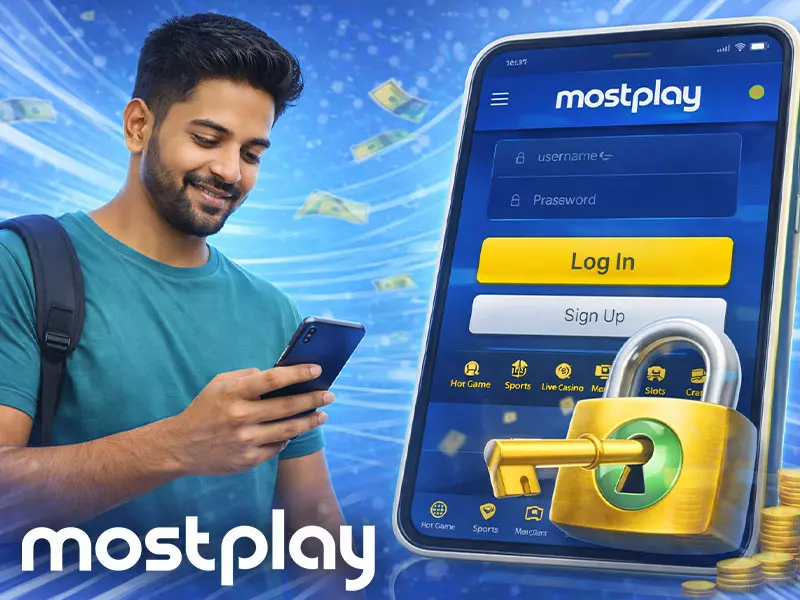
App login is the fastest way to access the account on mobile in Bangladesh. The flow is the same as on the website, but the Login button is easier to find and the session stays stable between visits.
- Open the Most play app and tap Login;
- Choose the same method used at registration, email or phone;
- Enter the linked email or BD phone number and the account password;
- Complete captcha or a verification code if it appears;
- Tap Sign In and wait for the dashboard to load.
If login fails, the usual fix is practical. The player rechecks the email or phone format, confirms password case, and updates the app to the latest version. If a code step appears, the code is entered right away and the same device is kept for the full sign in flow.
App Install Bonus
The Mostplay app install bonus rewards Android users with a 200 BDT cash credit after they meet the deposit requirement and claim it through support. It is tied to JILI slots and comes with a 5x turnover rule.
| Item | Details |
|---|---|
| Bonus criteria | Download MP App |
| Game type | Slots (JILI) |
| Deposit requirement | 3 deposits in the month |
| Minimum deposit per deposit | 500 BDT |
| Bonus amount | 200 BDT |
| Turnover requirement | 5x |
| How to claim | Contact Customer Service after meeting requirements |
To qualify, the player registers an account, completes three deposits of 500 BDT each, then downloads the Android app. After that, support confirms eligibility and credits the 200 BDT bonus to the account.
Fix Common Login Problems

Most login problems are caused by wrong input or an outdated app. Passwords are case sensitive. Always check the domain before entering details.
- Use the Bangladesh locale version, not a random mirror;
- Re-enter email or phone and password with the correct case;
- Complete captcha or a two factor code if prompted;
- Use Forgot Password if the details still fail;
- If you searched Mostplay login.com or typed login Most play login, verify the domain first.
Once these checks are done, the login works on the next attempt without needing any extra actions.
The key takeaway for players is that account access on Mostplay is designed to be reliable across devices, with built-in security checks and easy solutions for forgotten passwords or login issues.